English to Spanish Translator
Let's Roll AppsEducation
4.268.00 Reviews
- Version
- 1.24
- Installs
- 100.00K
- Age Rating
- Teen
Screenshots
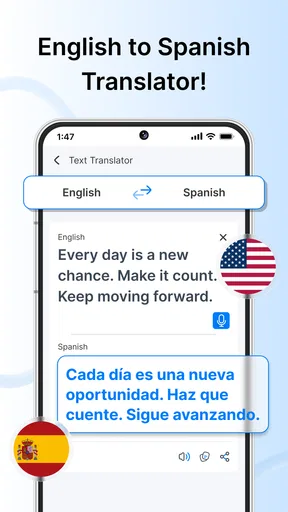
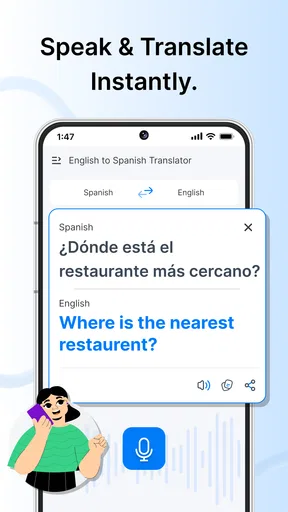
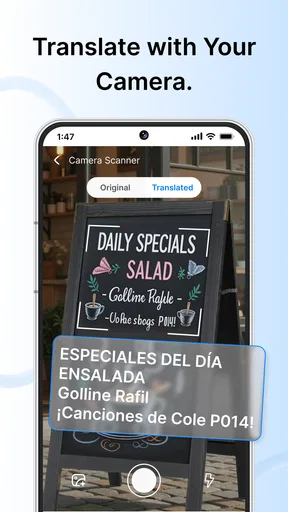
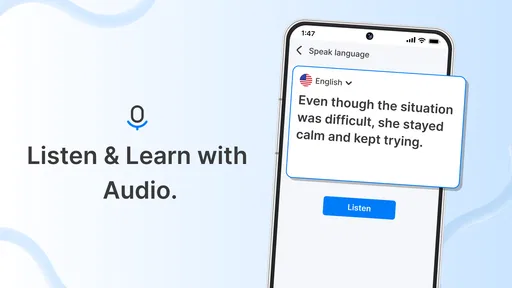
Our Review of English to Spanish Translator
 Analysis by Appyee
When I need a quick way to move between English and Spanish, I want something that gets out of the way rather than turning a simple sentence into a long setup process. English to Spanish Translator, from Let's Roll Apps, is built around that straightforward need. I found it most useful as a compact education app for short translations, vocabulary checks, travel phrases, and everyday messages where speed matters more than a full language lesson.
The app is free to install, with optional in-app purchases ranging from around eleven dollars to around fifty-five dollars per item. It is rated Teen, works on Android six and later, and its current version is 1.23. Those details matter because this is not positioned as a complete replacement for a Spanish course. I see it more as a practical language companion: something I can open when I know what I want to say in English but need a Spanish version, or when I receive Spanish text and want a quick English interpretation.
How I use it for everyday English and Spanish
My baseline workflow is simple. I enter a phrase in the language I know, check the result in the other language, and then read it again before using it. That last step is important. A translation can be grammatically acceptable while still sounding too formal, too literal, or slightly unnatural for the situation. The app helps me cross the language gap quickly, but I still treat the result as a draft when the wording carries real consequences.
For a short message, the process feels particularly convenient. Imagine I am arranging a meeting with a Spanish-speaking neighbor. I can write the thought in English first instead of trying to remember every verb form, translate it, and then adjust the tone before sending it. For a longer message, I prefer to divide the text into sensible portions. Translating one complete thought at a time makes it easier to notice whether the meaning has shifted, especially when English relies on implied context.
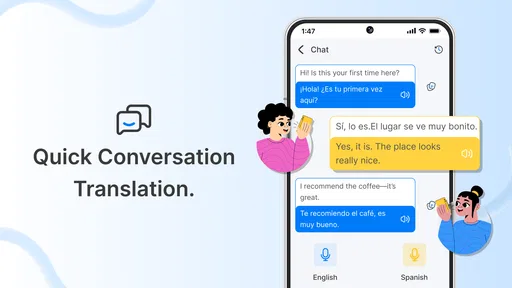
The reverse direction is just as useful. If someone sends me a Spanish sentence, I can use the app to understand the general meaning before deciding whether I need to ask for clarification. This is helpful with signs, instructions, casual messages, and unfamiliar expressions. I would not use a quick translation alone to interpret a legal document, medical guidance, or an important business agreement, but it is a sensible first pass for ordinary communication.
One habit improved my results more than anything else: I avoid feeding the translator fragments that only make sense inside my head. Instead of entering “tomorrow maybe,” I write the full idea, such as “Maybe I can come tomorrow afternoon.” Context gives the translation a better chance of choosing the right structure. This is a small change, but it makes the app more useful for learners who are tempted to translate isolated words without considering how they function in a sentence.
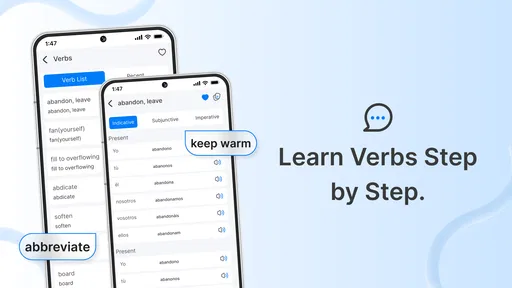
The app also fits a study routine, although I would use it as a support tool rather than the entire routine. I can write a sentence from a lesson, translate it, and compare the result with what I expected. If the two versions differ, that becomes a useful prompt to investigate word order, gender, verb tense, or regional phrasing. I find this more productive than simply copying the answer because it turns each translation into a quick exercise in noticing differences.
Settings and preparation that make a difference
Before relying on any translation app, I check the language direction carefully. With a tool focused on English and Spanish, it is easy to assume the current direction is correct and overlook that the input language has been reversed. A wrong direction can produce confusing output that looks like a poor translation when the real problem is simply the selected language pair. Taking a moment to confirm the direction is one of the most practical habits I developed with this app.
I also keep my writing style consistent. If I want a natural conversational result, I enter a conversational English sentence. If I need a polite request, I include the polite wording in the original rather than expecting the translator to invent the right social tone. “Send me the address” and “Could you please send me the address?” do not carry the same feeling, even if their basic purpose is identical.
For learners, I recommend checking the output against the original sentence instead of reading only the Spanish result. Look for the subject, time reference, and action. This catches a common mistake: accepting a sentence because several familiar words appear in it while missing that the tense or relationship between ideas has changed. English and Spanish often express the same thought in different orders, so word-by-word comparison is less useful than comparing the complete meaning.
Because the app has a Teen content rating, I would still use normal judgement about what younger learners translate and share. The rating does not turn the app into a supervised classroom tool. Parents and teachers who use it with students should set their own boundaries, particularly when translation is being used for public posts or conversations with strangers.
Its free entry point makes it easy to try without committing money immediately. At the same time, the presence of optional purchases means I would review any purchase screen carefully before confirming anything. For someone who only needs occasional phrases, the free experience may be enough. A frequent user should decide whether the extra value of any paid item fits their actual routine instead of assuming that paying is necessary for basic translation.
Faster patterns for travel, study, and messaging
The quickest way to use this app is to prepare the thought before opening it. I decide what I mean, simplify the sentence, and then translate. This avoids the common cycle of entering a rough fragment, seeing an awkward result, changing one word, and repeating the process without understanding why the sentence is not working. Clear input gives me a clearer starting point.
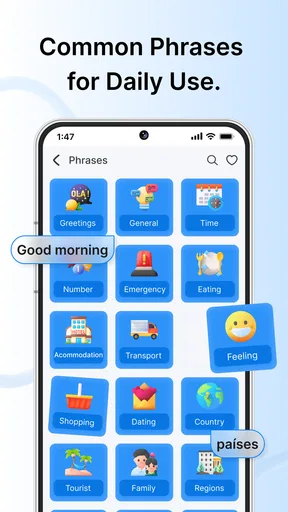
For travel, I would create a small set of phrases before leaving: asking where something is, explaining a dietary preference, requesting help, and confirming a time or price. I would not depend on memory alone, but I would also not treat the app as a substitute for learning the most important phrases. The best workflow is a combination: memorize the basics for moments when the phone is inconvenient, then use the translator for details and unexpected situations.
A useful trick for restaurant or shopping conversations is to translate the question and the likely answer separately. If I only prepare “Does this contain nuts?” I may still struggle when the response is fast or unfamiliar. Translating a few related phrases in advance helps me recognize the vocabulary around the situation. This turns the app from a one-line converter into a small preparation tool.
For messaging, I prefer short paragraphs rather than one large block. If the app produces a sentence that feels too formal, I rewrite the English source in a more natural way and translate it again. That is usually more effective than trying to repair every Spanish word manually. It also keeps me aware that the quality of the output depends partly on the quality and tone of what I enter.
Students can use a repeatable three-step pattern. First, write the Spanish sentence from memory. Second, use the app to translate the intended English meaning or check a reference sentence. Third, compare the two and note only the important difference. This prevents the app from doing all the thinking. It is especially helpful for building confidence with everyday expressions while still making the learner responsible for the first attempt.
Another practical use is checking a phrase before saying it aloud. I can translate it, read the result, and then practice the sentence a few times. This is better than using the app only after a communication problem occurs because it gives me a chance to notice unfamiliar vocabulary in a low-pressure setting. The app becomes part of preparation rather than an emergency button.
Where quick translation reaches its limits
I would be careful with idioms, humor, sarcasm, and regional expressions. These depend heavily on context, and a direct translation can preserve the words while losing the intention. If I am writing something sensitive or trying to sound genuinely natural, I use the result as a starting point and ask a fluent speaker to review it when possible.
Pronouns and formality are another area where caution helps. English often leaves social relationships unstated, while Spanish may require choices that affect how respectful or familiar a sentence sounds. A translation can be understandable but still not match the relationship between the speakers. For a message to a close friend, a customer, a teacher, or an official, I would think about the audience before accepting the first result.
Long text creates a different problem. A translator may handle each sentence reasonably while missing the connection between them. References such as “this,” “that,” or “they” can become unclear when the surrounding context is complicated. I get better results by translating coherent sections and then reading the complete Spanish passage as a reader would, rather than checking each sentence in isolation.
This is also why I would not choose this app as my only resource for serious language study. It can help me test vocabulary and understand phrases, but it does not replace structured lessons, listening practice, pronunciation feedback, or conversation with another person. Someone preparing for an exam or aiming for professional fluency will need tools designed around those goals. A dedicated course is the better choice when progress tracking and guided instruction matter more than instant translation.
There is a trade-off between convenience and understanding. If I translate every sentence automatically, I may finish a task quickly while learning very little. If I first make an honest attempt and then use the app to check it, the same translation becomes a learning opportunity. That distinction is easy to miss, and it determines whether the app supports my Spanish or gradually becomes a crutch.
The app’s audience size suggests that it has found a practical place for people who need this language pair: it has passed fifty thousand installs and holds a 4.3 average from sixty-one ratings, with nineteen written reviews. I read those figures as signs of an accessible, focused tool rather than proof that it will suit every learner. A rating can tell me that many users find the basic experience useful, but it cannot decide whether my needs are casual translation, formal writing, or a full study program.
Who should use it and who should look elsewhere
I would recommend English to Spanish Translator to travelers, families, students, and bilingual households that regularly need quick help between these two languages. It is also a good fit for someone who is beginning Spanish and wants to verify simple sentences without opening a much larger learning platform. The free starting point lowers the barrier to trying it, and the focused purpose makes it easier to understand what the app is meant to do.
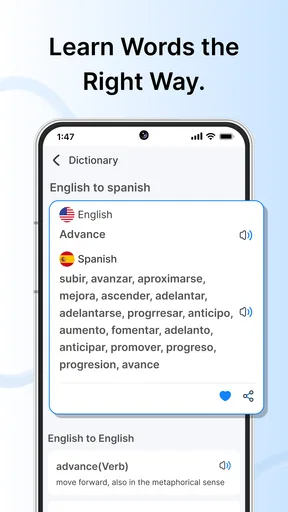
I would be less enthusiastic for users who need extensive offline planning, detailed grammar explanations, pronunciation coaching, or professional-grade localization. Those needs call for a different kind of product. A dictionary may be better when I want definitions, examples, and related forms for one word. A structured language course is better when I need a sequence of lessons. A human translator is better when a mistake could affect health, money, legal rights, or a formal relationship.
Device compatibility is fairly broad because the app supports Android six and later. That makes it approachable for people who are not using a recent phone, although the practical experience will still depend on the device and the way the app is used. I would install it on the phone I actually carry, test a few representative phrases, and decide from that real workflow rather than assuming every translation situation will feel equally smooth.
Let's Roll Apps has kept the product centered on the English-Spanish use case, which I consider a strength for people who do not want a crowded language platform. The limitation is equally clear: users who regularly switch among many languages may prefer a broader translator with a wider language selection. A focused tool is convenient when it matches your routine, but restrictive when your communication needs extend beyond this pair.
My verdict after building a repeatable habit
My overall impression is positive, with a clear boundary around what I expect from it. The app is most effective when I use it deliberately: write a complete thought, confirm the language direction, inspect the result, and adjust the source sentence when the tone is wrong. That workflow gives me speed without pretending that automatic translation understands every social or cultural detail.
The strongest reason to keep it installed is its usefulness in small, repeated moments. A phrase before a trip, a message from a Spanish-speaking contact, a sentence in a study notebook, or a quick check before speaking can all justify having it ready. Those situations do not require a large course or a complicated reference library. They require a fast bridge between English and Spanish, and this app is designed around that bridge.
My main caution is simple: do not confuse a correct-looking translation with complete understanding. Read the result in context, be especially careful with sensitive communication, and use the app alongside real practice if your goal is fluency. When I follow those rules, it feels like a helpful companion rather than a replacement for learning.
My recommendation is to try it if your priority is quick English-to-Spanish or Spanish-to-English help, especially for everyday situations. I would skip it in favor of a course, dictionary, or professional service when the goal is deeper instruction or high-stakes accuracy. For the right user, its focused design and accessible free option make it a practical addition to a phone, provided the user remains involved in the meaning instead of handing over every language decision.
Privacy and Permissions
See what permissions an app requests and how it handles your data.
- Camera
- take pictures and videos
- Microphone
- record audio
- Wi-Fi connection information
- view Wi-Fi connections
- Other
- view network connections, full network access, control vibration, prevent device from sleeping, Google Play license check
Verdict
Strengths of English to Spanish Translator
- Translates common words and phrases quickly for everyday conversations.
- Useful offline mode can help when traveling without reliable internet access.
- Includes pronunciation support for practicing Spanish speaking and listening.
- Simple interface makes it easy to enter text and view translations.
- Helpful for checking short messages, signs, menus, and travel-related phrases.
Limitations of English to Spanish Translator
- Long or complex sentences may produce awkward or inaccurate translations.
- Some features may require an internet connection or premium access.
- Pronunciation may not always reflect natural regional Spanish accents.
- Automatic translations can miss slang, humor, and cultural context.
- Users should avoid relying on it for legal, medical, or professional documents.
Similar Picks in This Category
View All
Duolingo: Language Lessons
Duolingo4.7

Google Classroom
Google LLC2.8

Unacademy: Learn & Crack Exams
Unacademy3.2

Bible App for Kids
Life.Church4.4

Cake - Learn English & Korean
Cake Corp.4.7

Brainly: AI Homework Helper
Brainly4.5
Frequently Asked Questions
What is English to Spanish Translator, and who is it designed for?
English to Spanish Translator is a language app designed to help users translate words, phrases, sentences, and everyday expressions between English and Spanish. It can be useful for travelers, students, tourists, bilingual families, and anyone communicating with Spanish-speaking people. The app is generally easier to use than a traditional dictionary because it focuses on quick translations and practical communication.
Does English to Spanish Translator require an internet connection?
Internet requirements can vary depending on the app version and the translation features being used. Basic text translation may work offline if language data has been downloaded or included in the application, while voice translation, pronunciation tools, and more advanced services may require an active connection. Before traveling, it is worth testing the app in airplane mode to confirm which functions remain available.
Can the app translate spoken English or Spanish?
Many English-to-Spanish translator apps include a microphone feature that allows users to speak instead of typing. When available, this tool can recognize speech, convert it into text, and provide a translation. Its accuracy depends on pronunciation, background noise, speaking speed, and regional accents. For important conversations, users should review the recognized text before relying on the translated result.
How accurate are the translations provided by the app?
The app can be helpful for common vocabulary, short phrases, travel expressions, and straightforward sentences, but it should not be treated as a perfect professional translator. Context, slang, idioms, gender, verb tense, and regional differences can affect the result. Users should double-check legal, medical, academic, or business translations and avoid assuming that every literal translation sounds natural to native speakers.
Is English to Spanish Translator free to download and use?
The application may be available as a free download, although some versions can include advertisements, optional purchases, premium tools, or limits on certain functions. Features such as voice input, offline language packs, unlimited translations, or an ad-free experience may depend on the specific edition. Check the Google Play Store or Apple App Store listing for current pricing, permissions, and subscription details before installing.
